Digital Storytelling in Early Childhood

My favorite part of teaching young children has always been STORYTIME!  I love the language of a really good children’s story, and how it can both delight and educate at the same time!  There are so many benefits to reading and engaging in storytelling activities with young children. 

Digital Storytelling

I am currently taking a graduate course where I am learning more about integrating technology into storytime through digital storytelling.  In exploring how this could be useful in an early childhood classroom; I crafted an instructional digital story to explain digital storytelling and how it can be used to support and enhance the curriculum.  Take a look below!!


Digital Storytelling Examples

Interested in what an end-product COULD look like for an early childhood class?  

The first example below is a digital story using photographs, music and student narration on how apples grow, after a class field trip to an apple orchard. 

This second example called “Train Parts: A Preschooler’s Digital Story” uses children’s illustrations and text with narration.  Notice the early writing skills demonstrated.

[Published by Ruth Ayers, 2011]

This example uses an online tool called Book Creator. 

You can explore more about using Book Creator in the Elementary Classroom.

I hope this information gives you a glimpse into the possibilities of how digital storytelling can be used in a preschool class.  Future blog posts will focus on some of the digital tools teachers can use for digital storytelling and other literacy activities!


Feedback

I’d love to hear from you!  Let me know your feedback so I can improve and add relevant information to support early childhood teachers who would like to explore digital storytelling.

Below are some prompts to guide your feedback. Please let me know your thoughts in the “leave a reply” section below.

  1. Did you find this video story useful in understanding what a digital story is, and how it can be used in early childhood?
  2. Did this video help you understand the benefits of creating a digital story in an early childhood classroom? Are there any other benefits that were not mentioned that you would like to share?
  3. What was the favorite thing you learned?
  4. What are some opportunities for improvement in the content or production of this video story?
  5. Any ideas/input of what content you would like to see in the future?

E-books in early education

Digital books or e-books can be used by early childhood teachers as a tool for storytelling. Teachers can work with preschoolers to co-create digital books with photos of the children’s play or work and attach audio files with child/children as the story narrator.

Young children can be involved in the making of a digital story in a variety of ways, such as:

  • taking photographs with a digital camera
  • acting out scenes
  • drawing pictures
  • narrating the story with their own words


Book Creator

Book Creator is a simple digital book-making tool available for both iPad and the web. Teachers in early childhood can use this tool to make their own simple books with images, videos, and audio. The free version of the tool allows the creation of up to 40 books. The example above is a simple e-book of a class field trip to an apple orchard, using pictures taken from the trip using Book Creator.

Have you used other online apps/tools to create any digital books with your class?  We’d love to hear about them and feature them on our website!  Share in the comments below, or email us!

How can we enter kids’ world to teach them?


Teaching is often undervalued. After parents, teachers are the people that have the most impact on who we are as human beings, on both a personal and a professional level. This influence is particularly important at early ages when kids are developing the basis of all their knowledge and social skills.

Nowadays, teachers have a hard time finding ways to engage kids due to their short attention span – and also because these kids were born in the digital age and, too often, schools and teachers are still far behind.

Entering kids’ worlds to increase engagement can be a great strategy to overcome these obstacles.

Video consumption plays an important role in kids’ lives but is not always a positive feature. It is normally a passive experience without interaction and one which doesn’t help to reinforce knowledge.

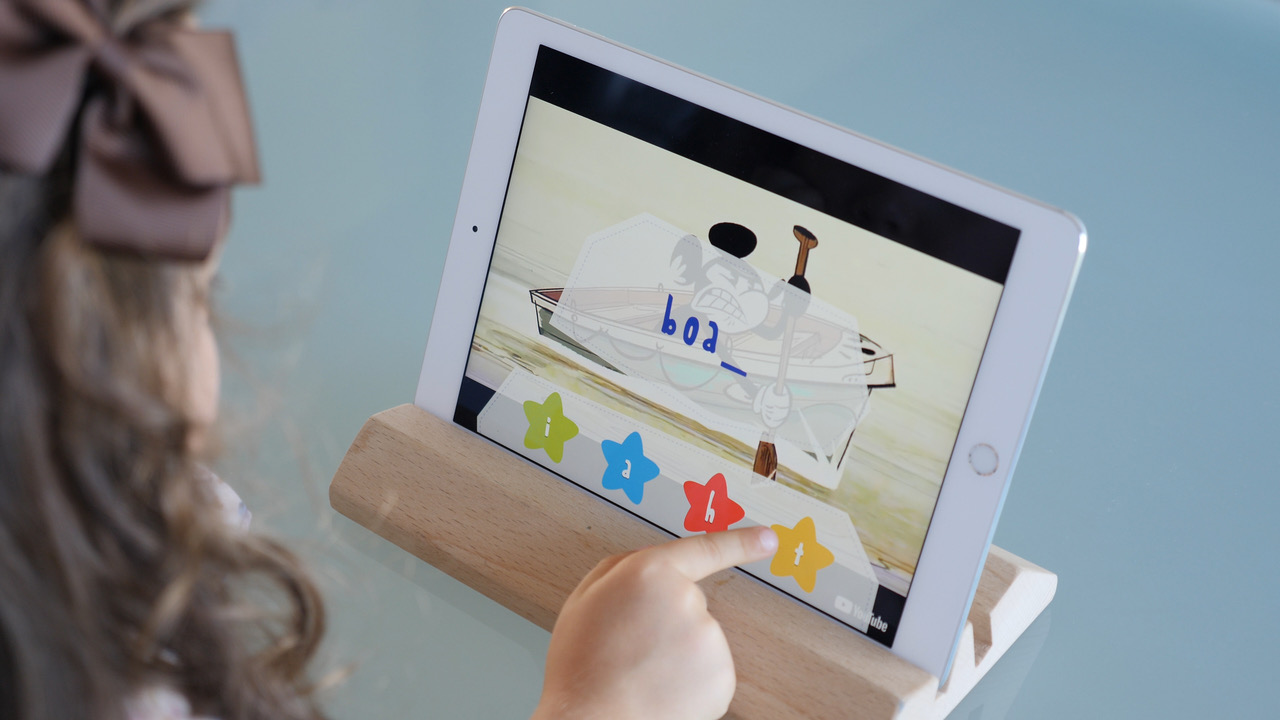
But now teachers can use video resources in a more productive way, making them attractive for kids and a useful tool to work specific themes or skills.

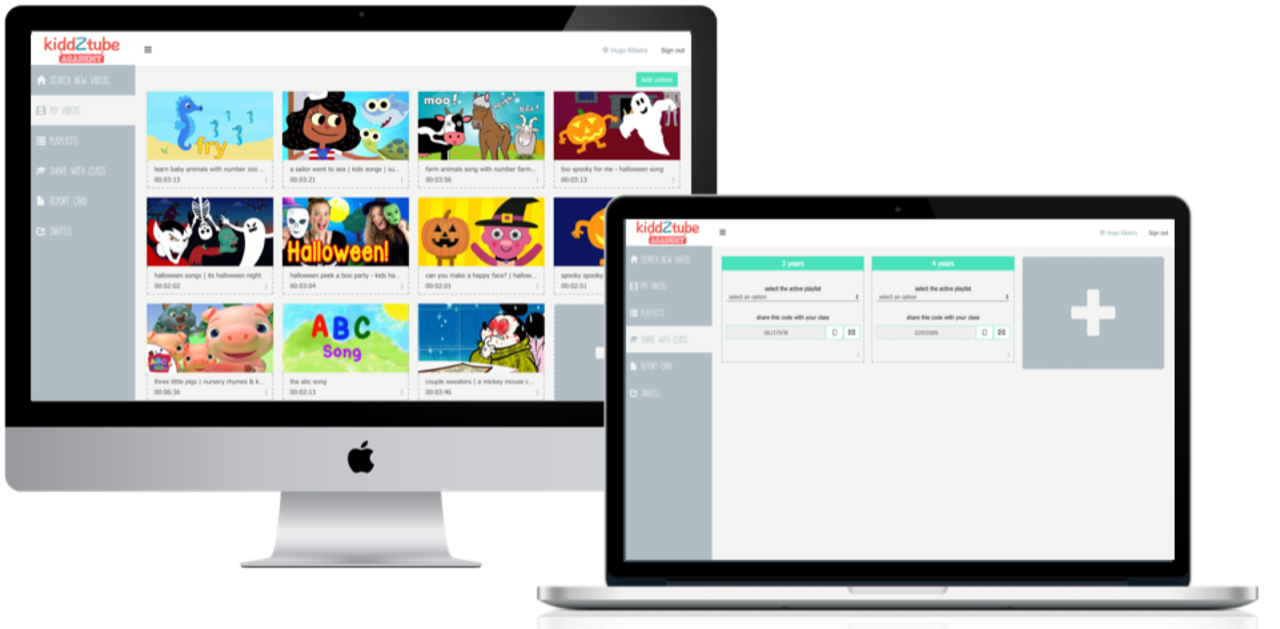
Using kiddZtube Academy, teachers can create video-quiz lessons with the videos that kids love. The content is selected by the teacher from YouTube, and then personalized with questions testing topics of the teacher’s choice.

Example of how teachers can use this tool

If the subject that is being taught during the week is, for example, Christmas, the teacher can use kiddZtube Academy to create a Christmas playlist with songs and cartoons and create questions that will reinforce vocabulary, activities, emotions, colors and much more. They can practice the songs in the classroom together and the teacher can even give kids access to the video lessons to watch at home. This gives parents and kids a chance to work on the quizzes together and helps educators push their teaching beyond the classroom.

Using videos that kids love will certainly grab kids’ attention because teachers show that they understand their worlds and adapt to their needs.

Easy for teachers to use

Apart from all the fun, kiddZtube Academy is intuitive and easy for teachers to use. The platform is designed to save teachers time but is also powerful enough to track kids’ performance with a full dashboard that gives the teacher a view on how the class is performing and how kids are doing in specific subjects.

Because it’s free to use both for parents and teachers, it is really Universal and available for everyone to try out.

The kiddZtube Academy platform was created with teachers and for teachers, proving itself to be an innovative, useful and simple-to-use resource that will put a smile on the faces of kids and teachers alike.


Hugo Filipe Ribeiro – CEO of Co-Founder of magikbee (educational technology company) is Father to 2 young girls and with more than 12 years experience in Mkt and Innovation in TELCO Multinationals, with a particular focus on products to the youth segment. Inspired by how his daughters were using digital devices, he decided to start his own company to create better solutions based on technology that could give kids new ways of learning through fun interactive experiences.

Edcamp for early educators

After learning about the concept of an edcamp training during a course I am taking at the University of Saint Joseph; I knew this was something I wanted to organize for preschool teachers and staff in my local area.  I put together the following educational video (below) to explain the idea of an edcamp; and how I applied the model to deliver a professional development session specifically for preschool teachers, directors and child care staff.

What is an Edcamp all about?

Edcamps are free, participant-driven professional development which is done in an “unconference” format.  Session topics are determined by participants, and there are no pre-scheduled presentations or keynotes. The goal is to keep sessions spontaneous, interactive and responsive to everyone’s needs. (Visit edcamp.org to learn more.)

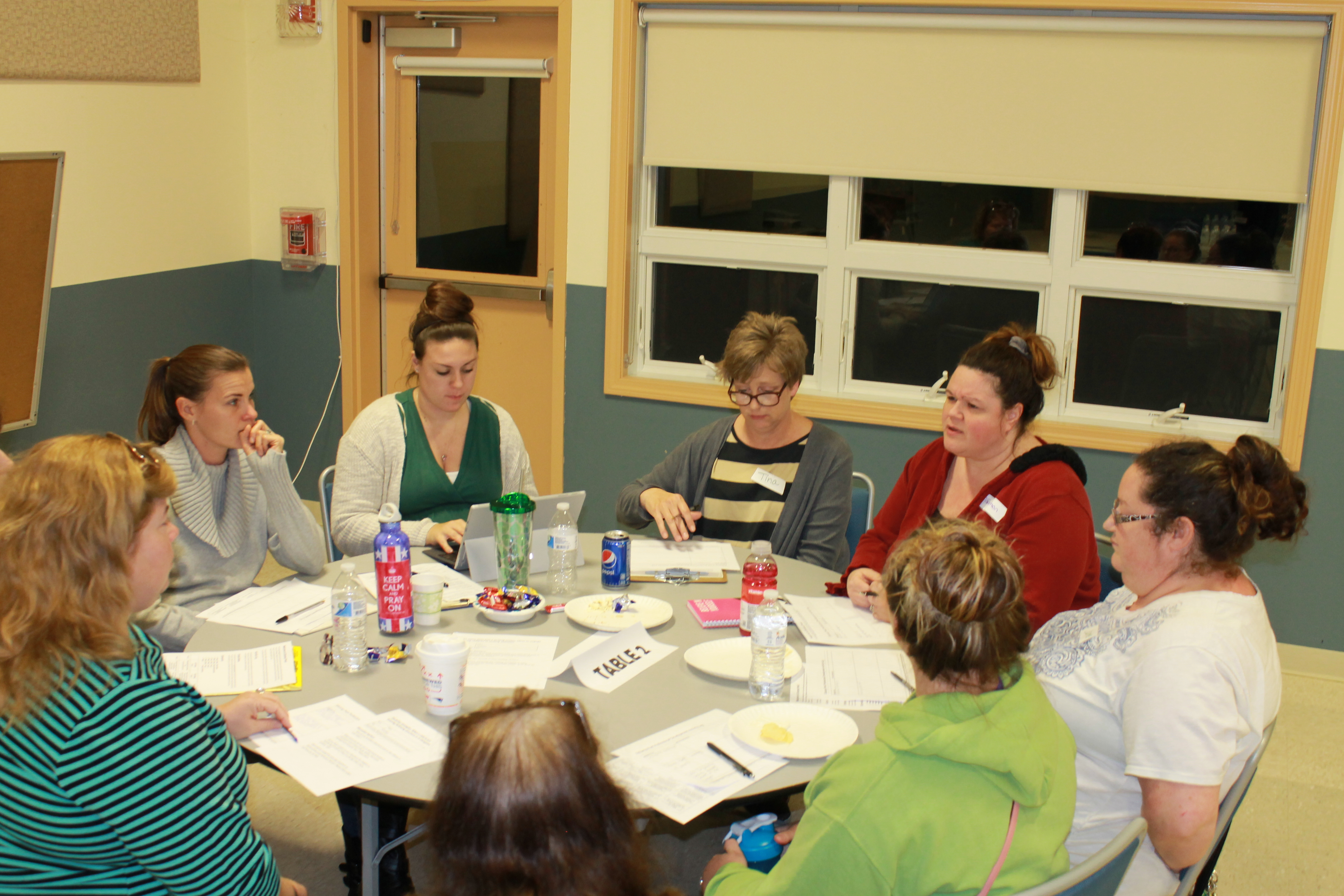
I adapted the Edcamp style to create a shorter professional development session (2 1/2 hours) for infant, toddler and preschool teachers, as well as child care staff and administrators. 

How did the Edcamp work?

  • Participants registered and submitted topic ideas in advance.  

    Using an online registration page, participants were asked to register and submit one or multiple topics for consideration as a breakout session.  About a week prior to the training, I setup a schedule based on session topics that were submitted.  Having topics submitted and the schedule set beforehand allowed us to streamline the training into the shorter timeframe.

  • Participant chose what sessions they wanted to attend.  

    Participants self-selected breakout sessions that were of interest based on the final published schedule.  Teachers were encouraged to move to another session if they had selected a session that did not meet their needs. 

  • Experience, not Experts.  Everyone participated!

    This is the best part!  There is no one expert giving a presentation.  Everyone actively participated, with the guidance of a volunteer facilitator, or discussion leader.  Everyone was encouraged to ask questions, share best practices and support each other to get the most out of the training.  

  • Notes were taken and shared!

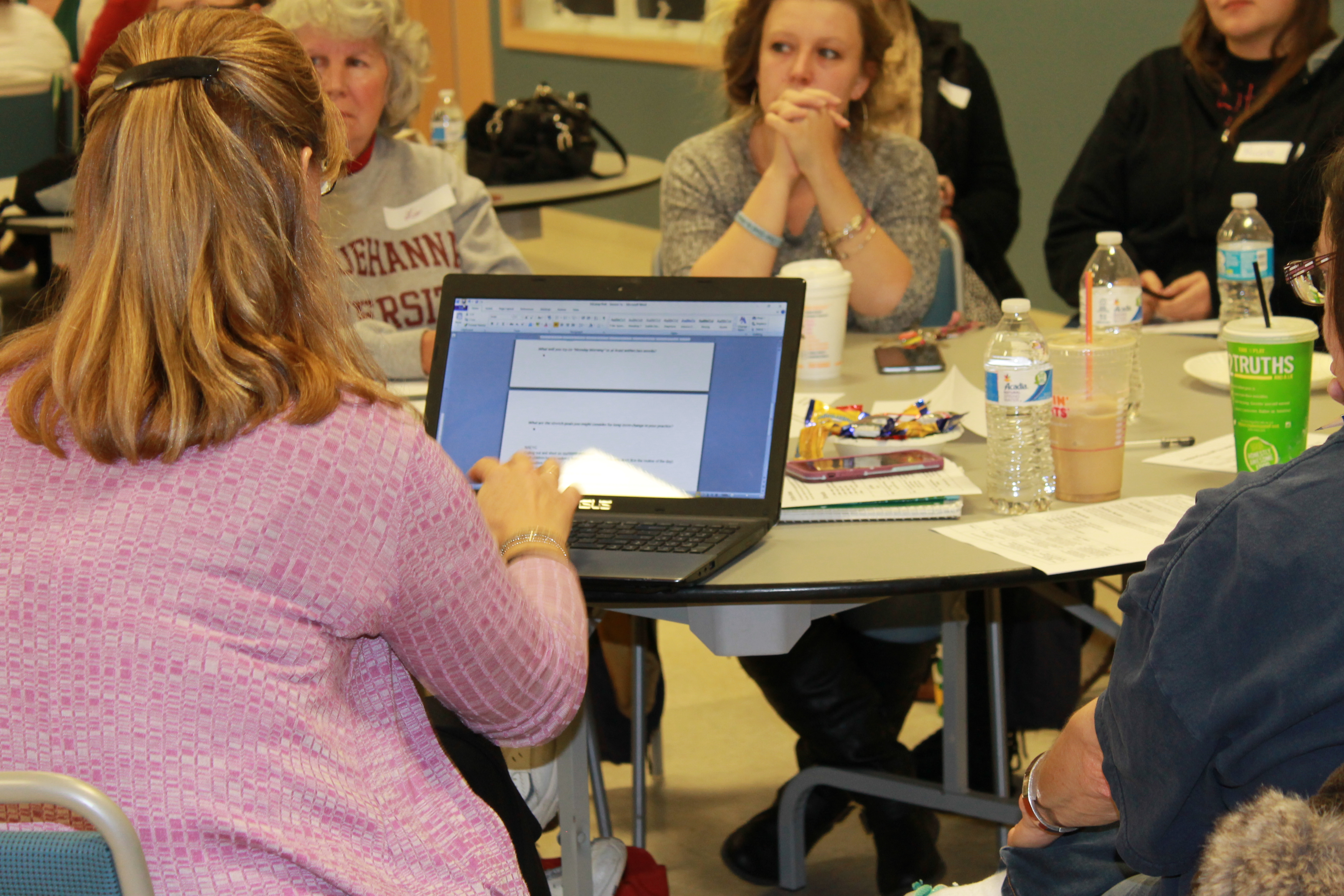
    Participants were given a “session log” to take notes on anything that was important to them. Digital notes were also taken on laptops that were available for each breakout session.  After the training, all laptop notes were uploaded to Google docs and made accessible to all those that attended.  In this way, teachers had access to notes from ALL the sessions (even the ones they didn’t attend)!


 What did participants think about the Edcamp experience?

The feedback was very positive, with many attendees wanting to have another training in the future.  Here is a snapshot of some of the responses:

I loved being able to talk, reflect, share and learn from other centers, directors, staff and my staff!

Do another Edcamp!

Very helpful!  Really enjoyed the open discussion.

I liked the networking/discussions with teachers that I do not work with and compare what works in their classrooms on the topics of stress, literacy and movement.

I think that it was really interesting to be able to talk with other teachers.


Anyone can organize an Edcamp!

Take a look at the video below to get a peek at how we setup this edcamp training for ECE professionals. I hope it inspires others to consider this type of collaborative training model for their school and/or community!

DigCitKids Challenge: How do you help your neighbors?

If you read my first post on digital citizenship, I shared what it is and how we can start by teaching our kids that when it comes to technology … it’s important to BE GOOD and use it FOR GOOD.

Using technology FOR GOOD

As a way to get started, I encourage you to check out the DigCitKids Monthly Challenge: How do you help your neighbors?  This is a great idea for classrooms of all ages/grades to start a conversation on ways we can help our neighbors – both near and far. For the month of September, the challenge is to come up with ways to help your neighbors.

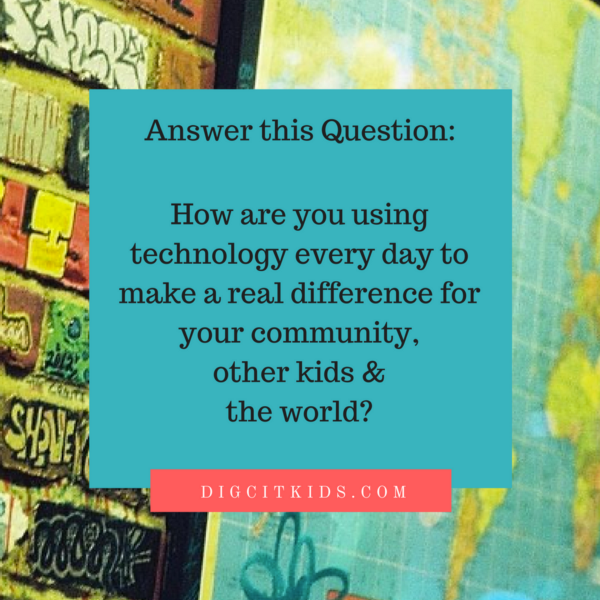
Start by asking your kids to brainstorm answers to the following question ….

Then go to the DigCitKids page to take the pledge and share your ideas on Twitter using #bethatKINDofkid!

Don’t forget to tag @theseedsnetwork as well, so we can follow along! 🙂

Digital Citizenship: What is it and why is it important in the education of our children

It’s back to school time!  But this year, it’s not just my kids who are in a classroom.  I have taken the plunge to go back to graduate school again; this time pursuing a degree in educational technology.  For me it’s a perfect fit, as it blends my career history and interests.  While I am both excited and terrified at the same time, I am eager to begin sharing what I am learning. 🙂

My first class, to my great delight, is called “Technology for Learning” being taught by Marialice B.F.X. Curran, Ph.D. (you should definitely check her out on Twitter!).  We are 2 classes in, and the focus for the semester will be on digital citizenship. This is the first time I have actually heard of the term. However, many elements of digital citizenship are what we strive to accomplish with this website. So, what is digital citizenship?

What is digital citizenship?

Digital citizenship is the norms of appropriate, responsible technology use. (Gribble, M. Retrieved from www.digitalcitizenship.net)

It’s the concept of what ALL users of technology need to know in order to be good online citizens.

When asked to define digital citizenship in my own words, my main takeaways were:
    • Being a responsible user of technology (using it wisely and safely)


    • Consideration for others when using technology to communicate and collaborate (social etiquette)


  • Understanding the way all users learn when using technology to teach, communicate and collaborate (not everyone will have the same comfort level and knowledge in using technology)

There is much more to it than this – in fact, there are nine elements to digital citizenship. As the semester goes on, we will cover each of those indepth. But this is a good starting point to begin thinking about how we can explain the concept to our children.

How do we explain digital citizenship to our kids?

Children are using all kinds of technology at an increasingly younger age. It is our job as parents and teachers to make sure that children know the “rules of the road” when it comes to technology use. We wouldn’t give our teenagers the keys to our car without first teaching them traffic laws and having them practice with an experienced driver.  The same level of care and instruction should happen when we allow our children to use a new technology or device.

Our first reaction in teaching our children safe and responsible technology use may be to focus on the “Don’ts”.  (“Don’t bully anyone online”, “Don’t share your personal information”).  Instead, let’s teach them what they should DO with technology!

For our youngest learners, let’s focus on the GOOD!
  • DO BE GOOD online!  Be kind, considerate and respectful in our interactions with others on the internet, phones and other devices.  We spend time teaching our children good manners, how to introduce themselves to a new friend and to be respectful to others.  Those same values hold true for online interactions.
  • DO use technology FOR GOOD!  Use it to learn, connect, educate and collaborate. Look for apps that promote cooperation and teamwork, videos that teach about other cultures, global read-aloud opportunities, etc.

More to come as the semester goes on. I hope you are interested in learning more about digital citizenship along with me!

NAEYC: Tech on Deck

Tech on DeckAfter a morning of traveling from Connecticut to Georgia, Laura and I were happy to arrive to our hotel room. After we settled in and had a nice lunch, we quickly checked out the room that we will present our seminar in tomorrow morning. We are so excited to be part of this amazing conference.

Tonight, Laura and I attended our first Annual NAEYC Conference seminar; actually it was a “networking playground.” “Tech on Deck” gave us the opportunity to talk with technology experts about the latest innovations in using early childhood technology. A variety of round table discussions were offered including Social Media, Using iPads for Multimedia Creation, Online Professional Development, and Software Systems for administrators.

We sat with Faith Rogow for a bit to discuss and learn ways to incorporate “Digital Literacy”into the classroom. Faith, a consultant for the National Association of Media Literacy Education, stressed the importance helping children understand the process of using technology and creating with the use of technology despite devices changing and evolving. Educators can help children learn these important skills by vocalizing the process when assisting, teaching, or modeling use of technology.

Faith was able to offer Laura and I some great pointers when it comes to using Smartboards in the classroom. Our center has installed Smartboards in two preschool classrooms and we are looking for ways to help our teachers use the technology in an intentional and meaningful way. Faith suggested that the teachers look at their students and assess how students can possible benefit from digital literacy. She suggested that reading a story on a Smartboards may be better for a child who may have trouble sitting for story time. A great way for teachers to become more comfortable with new technology is to seek out activities that individual children can benefit from.

After we talked with Faith, we chatted with John Williams, a representative from follettearlylearning.com. This site provides schools with a variety of ebooks. They have many options for schools, some subscriber based and some options which allow a school to purchase ebooks at an affordable cost (between $30-$40 per ebook). When purchasing an ebook, a school can have unlimited access to the title and the ebook can be accessed by multiple Smartboards /classrooms at the same time. Their variety of titles was impressive; they have number of publishers providing wonderful themes, titles, and intentional lessons. Some ebook titles incorporate narration with words bolded as they are being read, which Laura and I loved! Many titles also included games, printable worksheets, family follow-up activities, and project ideas. We also loved the fact that parents can access the ebooks at home with their children.

Overall it was wonderful to see all the amazing software, apps, and online support being offered to early childhood educators. There are many organizations and businesses busy creating technology that is intentional and meaningful for young children which is very exciting!

You can check out ALL the conference photos and follow along with us throughout the week on our Facebook page!

Adding technology to preschool play

Adding technologyMany of us are fascinated with technology. (Just think of the long lines to get the latest iPhone.) Technology is an everyday part of our lives … and the lives of the children who we parent and teach.

Children learn by mimicking what they see around them … I’m sure many of us have seen the toddler who picks up a block and starts talking into it like a cell phone, or the preschooler who pretends to “scan” the food as she plays grocery store.

Adding some technology tools into children’s pretend play is relevant – they live in a multimedia world. But, early educators who do not have the funds to bring in the latest in high-tech gadgets can still incorporate some technology elements in very low cost ways. (Think tag sales, craig’s list … a teacher’s paradise!)

Consider adding some of these into your dramatic play area, block center or writing areas:

  • Adding machines or calculators
  • Old typewriters or keypads
  • Old rotary push button or cell phones*
  • Voice recorder machines
  • Microphones or karaoke machines
  • Walkie-talkies
  • Watches or timers
  • CD/tape players, books on tape
  • Old cameras or video cameras
  • Old computer keyboard or mouse

Be sure to remove cell phone batteries, otherwise cell phones can still dial 911, even if there is no service plan!


Here are other ideas from some of our blogger friends to add technology into pretend play:

Repurpose old or outdated laptop/computer for children’s use – Children can use simple programs like MS Word or MS Paint – just let them type and practice using the mouse!  (see post on PreK+K sharing blog)

Build a pretend computer for play – Use a box and old keyboard to make a pretend computer for dramatic play. 

Make pretend iPhones for literacy play – Make “pretend” technology gadgets that children can use for pretend play, letter recognition and pre-writing skills.  Children can imitate technology use that they see every day. 

You can also see other ways to incorporate technology into your lessons and experiences – by adding them into your teacher “toolbox”!

What are some other ways to incorporate low-cost technology elements into children’s play?

Technology as another tool in the teacher’s toolbox!

TechnologyTo incorporate the many ways children learn, teachers have a “toolbox” … materials, strategies and knowledge that they rely on to instruct and care for young children. No ONE method, manipulative, experience or strategy will work for every child or situation. Those of us in early childhood need to be FLEXIBLE (you never know which way the day will go!) … and we should always be seeking ways to add more tools to our vibrant and colorful toolbox!

The use of technology is a single experience among many ways to contribute to the understanding of a particular concept.” — Brian Puerling, 

Technology is just another tool in a teacher’s toolbox …

In preschool, how can we use technology as another tool or resource to use in our teaching? Here are some thoughts!

Another tool to learn about Science:

  • Watch a video of something like apple cider being made before actually making it.

Another tool to learn about Language and Literacy:

  • Use videos to learn/hear other languages.
  • Video conference with family members of children in class who speak other languages.
  • Use digital cameras to photograph field trips or special events – use photos to create a class book or PowerPoint slide with captions to extend learning about the trip or topic.
  • Take pictures of children reading books, holding books properly, turning pages by the corners, etc and display in reading area.
  • View other ideas of using digital cameras for literacy on Pre-K Pages blog

Another tool to learn about Music and Dance:

  • Using CD players or iPods to listen songs, dance, learn multicultural music.
  • Download songs from iTunes that go with a story or topic you are learning about. (Learn more about how we do that with our “Book & Boogie” program!)
  • Record a class song and make it available in the listening center for children to hear. Share it with families by burning a CD or emailing it.

Another tool to learn to Write / Draw:

  • Use SMART board pens to practice writing and drawing on a large scale before practicing on paper.
  • Share children’s writing/drawing using document camera or make a Powerpoint and display using a laptop and projector.

You also can see some suggestions for LOW COST ways to add technology into children’s play.

What are some other technological TOOLS in your teaching toolbox?